Rebuilt by hand, every month
Export, paste, fix the formulas, check the totals, send the PDF. For every client. The analysis your clients pay for gets whatever time is left.
LedgerView · for advisory & fractional-CFO firms
Connect each client's QuickBooks once. LedgerView syncs the books every night and gives every client a live dashboard and a rolling full-year forecast — the workbook your team rebuilds by hand each month, kept up to date for you.
The problem
Export, paste, fix the formulas, check the totals, send the PDF. For every client. The analysis your clients pay for gets whatever time is left.
By the time the workbook lands, the month it describes is long gone. Clients make decisions on numbers that were true weeks ago.
Different charts of accounts, different fiscal years, different things that matter. So every workbook is its own fragile copy.
How it works
Your client approves the connection through Intuit's own sign-in. One click, no exports.
Your firm decides once where each QuickBooks account belongs. New or unmapped accounts are flagged — never dropped.
Monthly P&L, balance sheet and chart of accounts, refreshed overnight. "Refresh now" when you need it sooner.
They sign in and see their own company — dashboard, forecast and your notes. Nothing else.
Dashboard
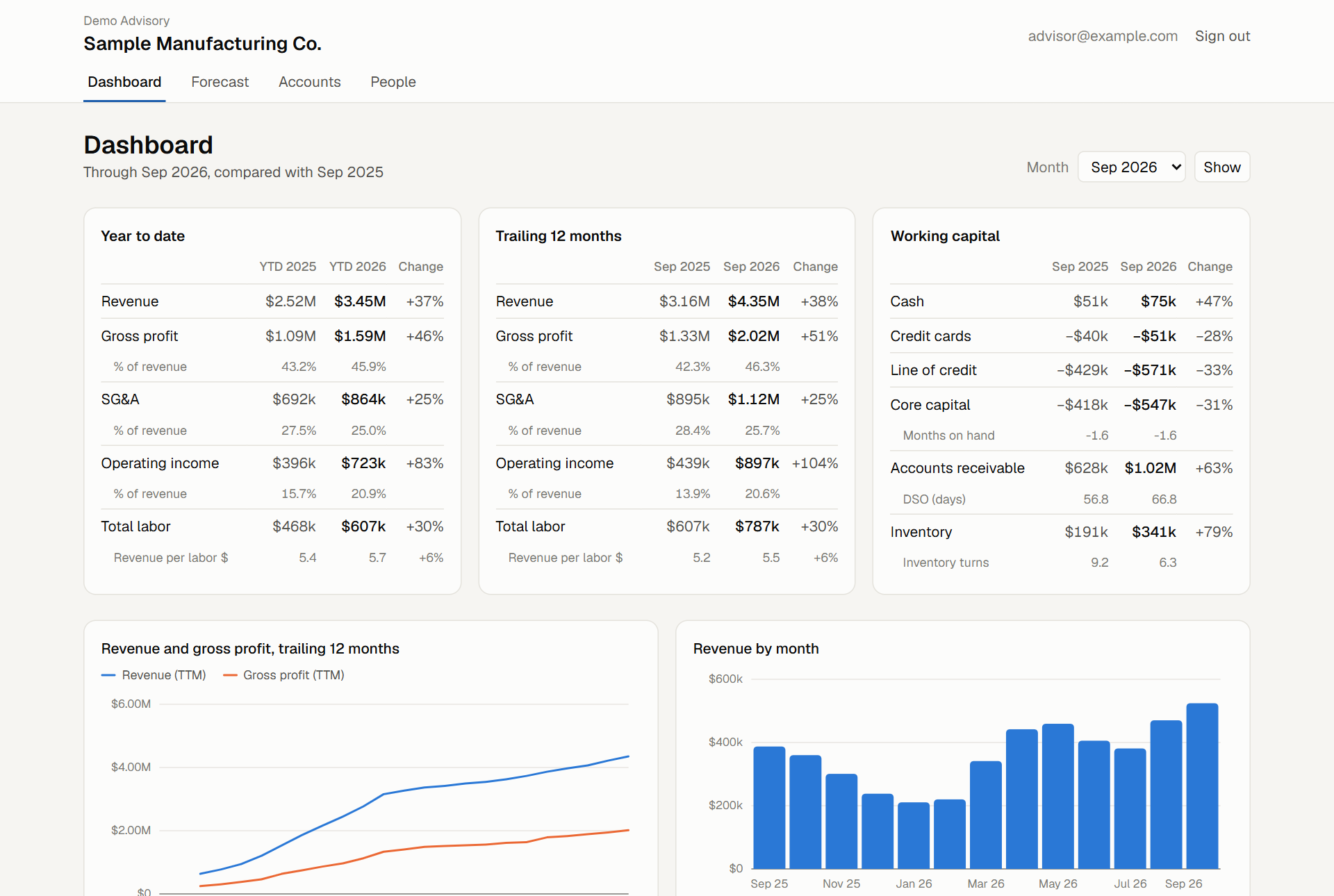
Year to date and trailing twelve months against last year. Working capital — cash, credit, receivables, inventory — with days sales outstanding and inventory turns. Where the cash went over the last twelve months, line by line. Every chart can be read as a table.
Rolling forecast
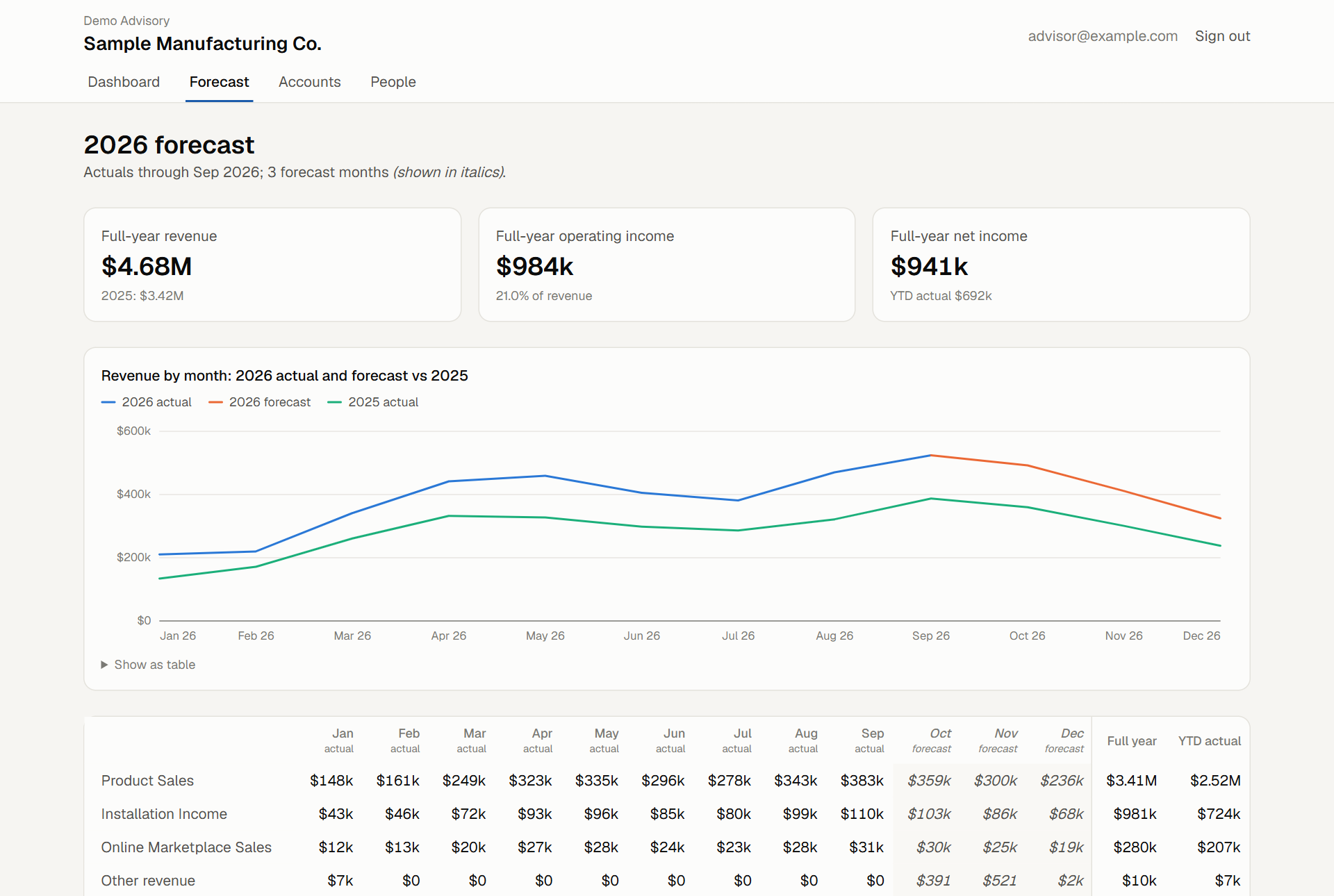
A full-year view that fills in the remaining months from simple assumptions: growth over last year, a share of revenue, or a fixed amount per month. Your client can adjust them and watch the year-end change. Forecast months are always marked as forecast.
Your voice on the numbers
Write what the client should take from the period, right beside the figures. It is the conversation you were going to have anyway — now it's on the page they come back to.
Who sees what
All of the firm's clients. Adds clients and people, maps accounts, writes notes.
All of the firm's clients, read and annotate.
Their own company. Can adjust forecast assumptions.
Their own company, read only.
Your clients' data
On the roadmap
Built with our first design-partner firm; shaped by what advisors print and send today.
Questions
No. They approve the connection once. Your firm handles the account mapping inside LedgerView.
That's what the mapping is for. Each client's accounts are mapped once, by QuickBooks account, to the lines your dashboard uses. Per-client differences are configuration, not custom work.
Synced every night, with a "refresh now" button for when you're mid-conversation.
QuickBooks Online today. Xero is next.
Per client company, per month. Early firms join as design partners on a reduced rate — ask us.
Request a demo
Tell us a little about your firm and how many clients you report for. We'll walk you through LedgerView on demo data — and talk about joining as a design partner.